Inhaltsverzeichnis
The installation of BackWPup works just like any other WordPress plugin. You can install it via the WordPress backend or upload the files via FTP.
Inhaltsverzeichnis
Installing BackWPup Pro
Download BackWPup Pro
First, get the BackWPup Pro zip file and download it to your computer.
You can buy the Pro version on BackWPup.com. After the purchase, you can find the zip file in your BackWPup account:
- Log in to BackWPup.com with the credentials you got via email.
- In the upper right corner, click on My Account . You can find the plugin zip file in the API Downloads section.
- Download BackWPup Pro to your computer.
Important: If you want to upgrade the free version to BackWPup Pro, please have a look at our guide “How do I upgrade BackWPup Free to BackWPup Pro?“, so you don’t lose your plugin settings.
Installation via WordPress admin area
- Log in to your WordPress installation.
- Gehe zu„Plugins“ → „Neu hinzufügen“.
- Click the Upload Plugin button and upload the BackWPup Pro zip file from your computer.
- Click on Install now and wait until WordPress says the plugin was installed successfully.
- Sie können das Plugin sofort aktivieren, indem Sie auf der Bestätigungsseite auf „Jetzt aktivieren“ klicken. Wenn Sie es später aktivieren möchten, können Sie dies über„Plugins“→„Installierte Plugins“ tun.
- In section 2 we show you how to activate your BackWPup Pro licence.
Installation über FTP
Do you have trouble installing BackWPup Pro via the WordPress admin area? Then try it via FTP. For this you need an FTP program, like Filezilla.
- Unzip the BackWPup Pro zip file on your computer.
- Stellen Sie über das FTP-Programm eine Verbindung zu Ihrem Webserver her.
- Upload the unzipped BackWPup Pro folder to the /wp-content/plugins folder of your WordPress.
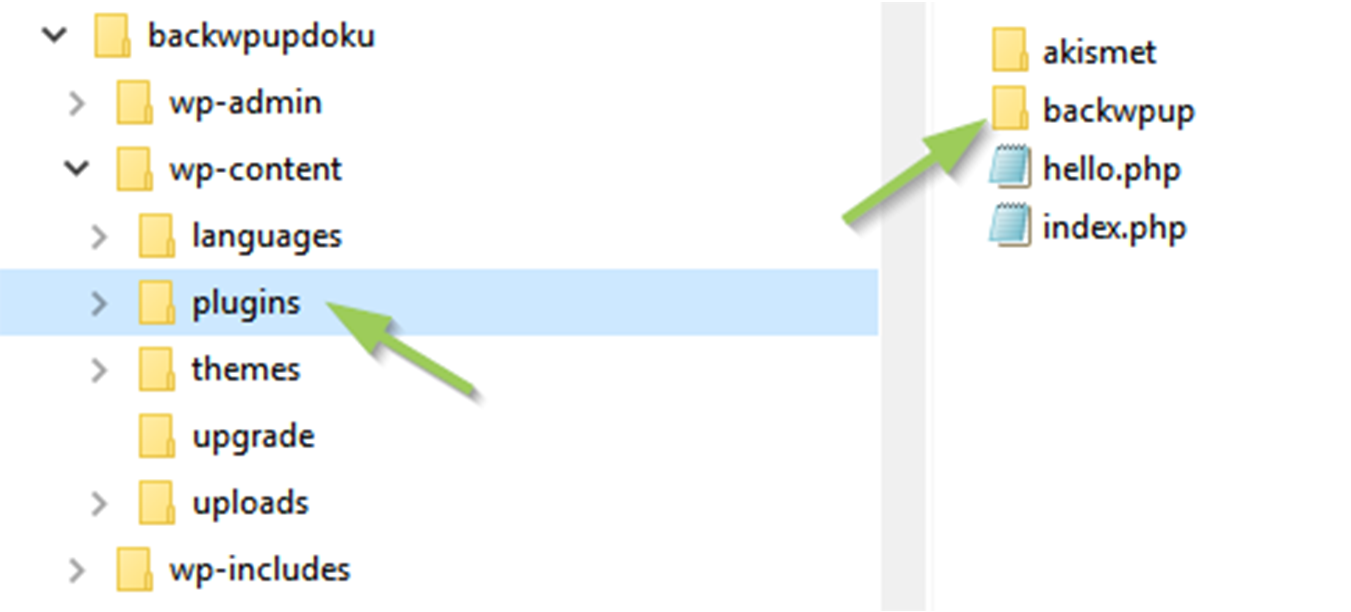
Installation über FTP - Log in to WordPress and activate BackWPup Pro via Plugins → Installed Plugins.
How do I activate your BackWPup Pro license?
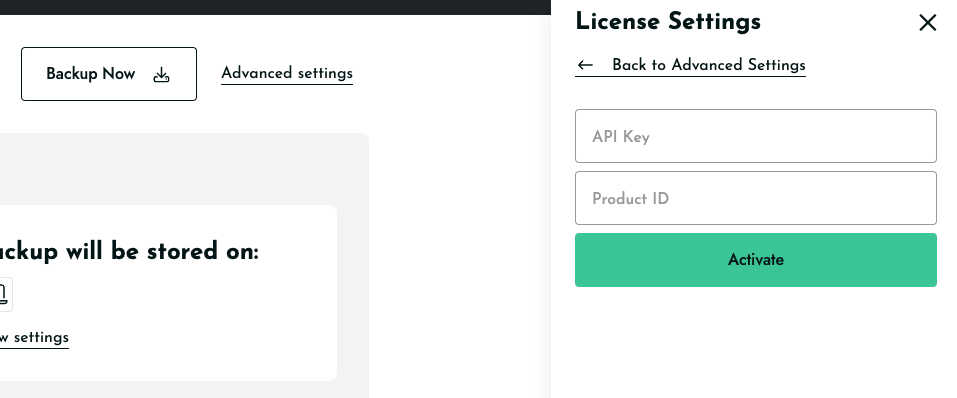
In the BackWPup Pro Settings page click on Advance Settings and then select the License tab: enter your Master API Key and Product ID.
To get your license data, please log in to your account on backwpup.com and visit the My Account page. Master API Key and Product ID are listed on the My Account Dashboard.