

Inhaltsverzeichnis
This article shows how to install the stand-alone restore app. We created this BackWPup Restore stand-alone app out of several reasons. For example in case your whole WordPress installation isn’t available anymore and you want to restore.
To install the BackWPup restore stand-alone app, you will need
- FTP-Zugriff auf Ihren Webserver
Inhaltsverzeichnis
Installation
- Download BackWPup Pro in your account and extract the zip-file. Now you have a folder backwpup-pro. This folder contains another zip-file backwpup-restore-app-xxx.zip
- Extract the zip-file backwpup-restore-app-xxx.zip.
- In dem Ordner finden Sie zwei Dateien,
restore.pharundStartUp.php. Upload these two files to your web server. You can use a FTP Client of your choice to upload the files. The files should be placed in the same folder as your WordPress installation. I.e.restore.pharundStartUp.phpsollte sich im selben Ordner befinden wiewp-config.phpundwp-content/. - Now we can start the restore app. Let’s assume your WordPress site is available at http://example.com/. Go to http://example.com/StartUp.php. The startup script will extract all necessary files and forward you to the restore app. The app looks like the following.
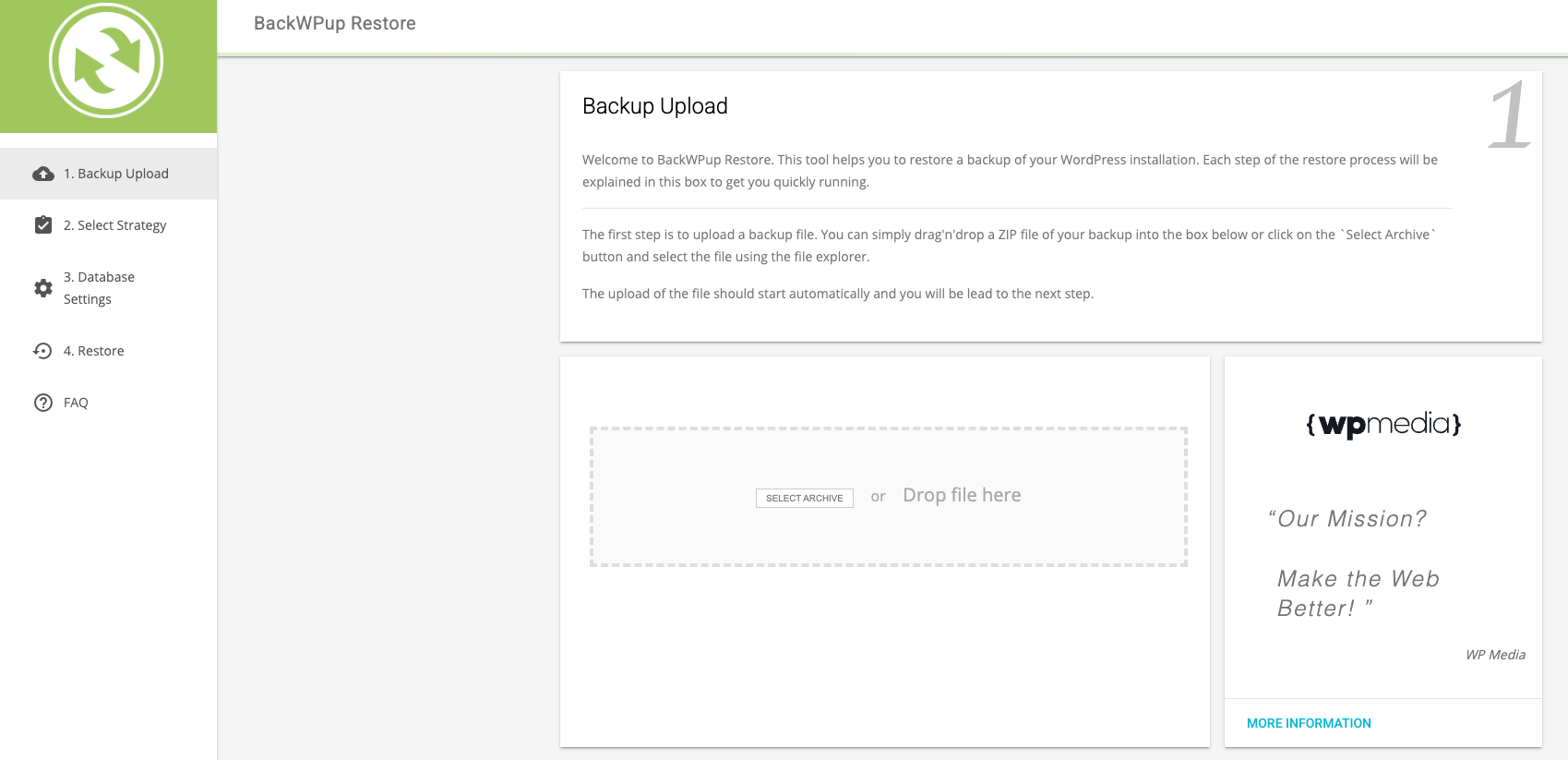
- You are now ready to use the restore app. Simply upload your backup and follow the described steps. Check out the article how do I use the BackWPup restore feature to get more information.
Fehlerbehebung
Das Startskript wird ausgeführt, aber ich sehe nur eine leere Seite
Dies kann in verschiedenen Situationen vorkommen:
Das Startskript kann die Datei möglicherweise nicht entpacken restore.phar richtig. Schau mal in das Verzeichnis, in dem StartUp.php und restore.phar lokalisiert sind. Gibt es auch eine neue restore/ Ordner? Falls nein, konnte das Skript die App nicht korrekt entpacken.
Stellen Sie sicher, dass beide Dateien über die folgenden Dateiberechtigungen verfügen: 644.
Wenn das Startskript ein restore/ Ordner, schau mal rein und überprüfe, ob sich darin eine Datei befindet restore/src/App/index.php.

