

In case you save files with the archive format Tar or TarGZ, it may happen that BackWPup reports the warning “file name too long”.
The reason is that the formats Tar or TarGZ only allow 100 characters as file name lengths. Nonetheless, BackWPup saves files with longer names, but the archive format shortens the names. This may lead to problems during the restoring process.
Beispiel:
WARNUNG: Der Dateiname „wp-content/plugins/bwp-minify/cache/minify_tagdiv_theme,commentreply.min,wpembed.min,js_composer_front._998cbd8e7258ea432e75c51c3cabf110.gz“ ist zu lang, um korrekt in einem TarGz-Archiv gespeichert zu werden!
Falls die Warnmeldung „Dateiname zu lang“ angezeigt wird, sollten Sie folgende Schritte in Betracht ziehen:
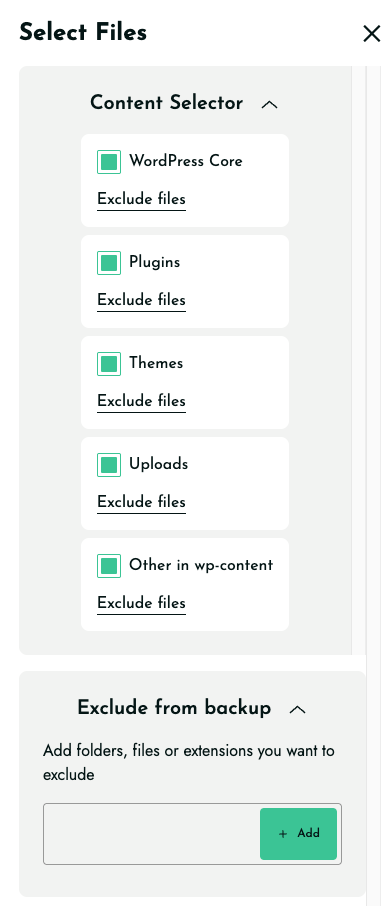
- Schließen Sie Ordner wie z. B. „cache“, „temp“, „logs“ und „backups“ von der Speicherung aus.
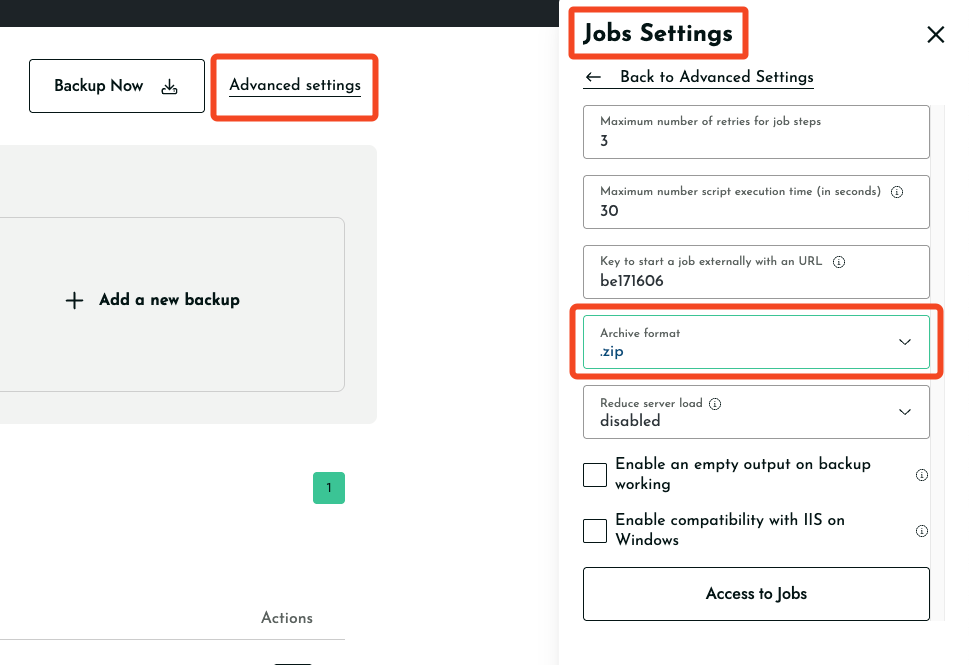
- Choose zip as archive format from Advance Settings>Jobs Settings>Archive Format
Sie können eine der beiden Lösungen ausprobieren, um das Problem mit der Warnmeldung zu beheben.

