

¿Puedo cerrar una instancia de « backup job » que esté en funcionamiento a través de FTP, si no funciona en el panel de administración?

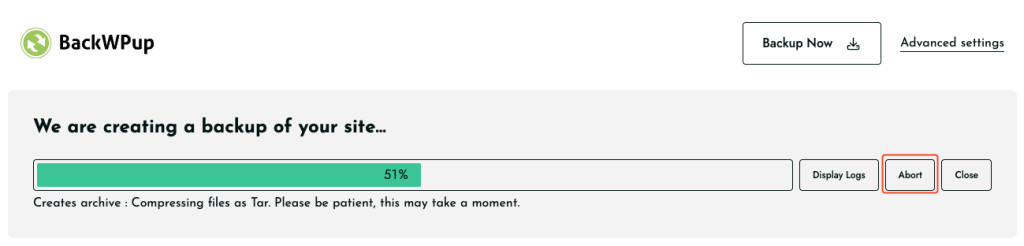
Generally, you can quit a running backup job via the admin area by clicking on the Abort button below the progress bar. If this is not working, you can quit the job via FTP. You need an FTP program for this, like Filezilla. Connect to your web server via the FTP program. Go to the root…
Inicio Preguntas frecuentes ¿Puedo cerrar una instancia de « backup job » que esté en funcionamiento a través de FTP, si no funciona en el panel de administración?

Generally, you can quit a running backup job via the admin area by clicking on the Abort button below the progress bar.

If this is not working, you can quit the job via FTP. You need an FTP program for this, like Filezilla.

  1. Connect to your web server via the FTP program.
  2. Go to the root directory of your WordPress installation and from there, go to /wp-content/uploads. There you can find a folder named backwpup-xyz-temp, where xyz identifies the job.
  3. Delete this folder. If you find multiple temp folders, delete them all.

Please note: If you have changed the location of the temporary folders in your wp-config.php, you have to switch to the folder you chose in step 2.


Mantén a salvo tu sitio web de WordPress

Ofrece a los datos de tu página web la protección que se merecen con BackWPup Pro .