

You want to install BackWPup Pro but have the free version already running in your WordPress installation? To keep the settings of the free version, please follow this guide to upgrade to the Pro version.
This tutorial can be applied only for BackWPup free version equal or higher than 3.8.0 . So if your current free version is lower than 3.8.0 first perform an upgrade on your site. If instead you do not want to perform such upgrade, you can stop reading this tutorial and refer instead to How do I upgrade BackWPup Free (version lower than 3.8.0) to BackWPup Pro?
BackWPup Pro can be purchased at BackWPup.com. The plugin zip file is available in your account after the purchase.
- Login to your WordPress installation and go to BackWPup → Settings

Keep BackWPup data option - If the checkbox option Keep BackWPup data stored in the database after uninstall is not selected, select it and then press the Save Changes button
- Now go to Plugins → Installed Plugins.
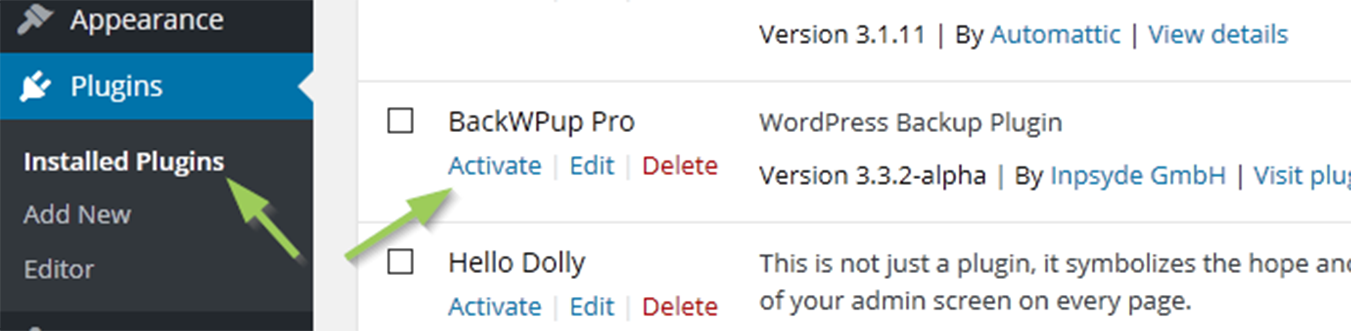
- Deactivate and uninstall BackWPup.
- Buy BackWPup Pro and download the zip file to your computer.
- Proceed installing and activating the new plugin via WordPress. For further support you can also refer to How to install BackWPup Pro and activate your licence
- Finally enter your licence data on the license tab settings page (BackWPup Pro → Settings) to receive automatic updates and get support if needed.
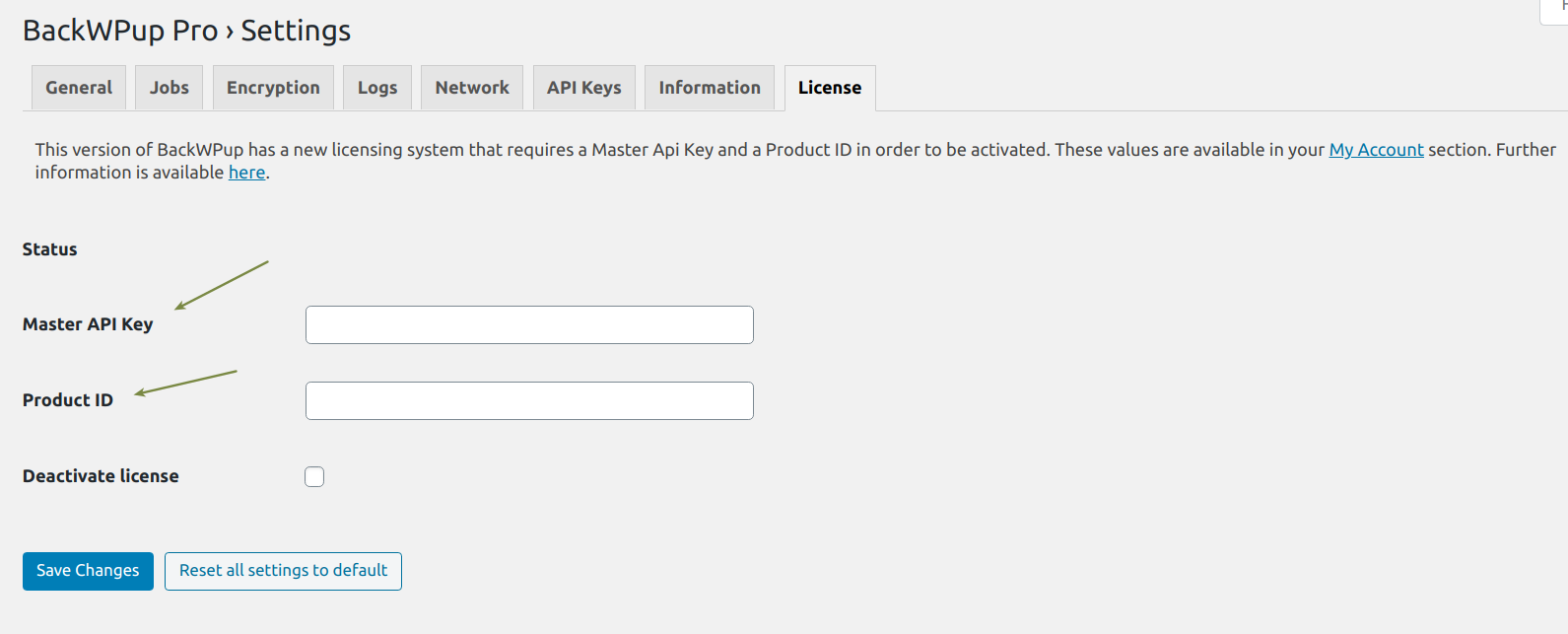
Enter your Master API Key and Product Id to activate your licence

