

Este artículo explica cómo instalar la aplicación independiente de restauración. Hemos creado esta aplicación independiente de restauración de BackWPup por varias razones. Por ejemplo, en caso de que ya no dispongas de toda tu instalación de WordPress y desees restaurarla.
Para instalar la aplicación independiente « BackWPup Restore», necesitarás
- Acceso FTP a tu servidor web
Instalación
- Descarga BackWPup Pro en tu cuentay extrae el archivo zip. Ahora tienes una carpetabackwpup-pro. Esta carpeta contiene otro archivo zip:backwpup-restore.zip
- Descomprime el archivo « zip »backwpup-restore-app.zip.
- En la carpeta encontrarás dos archivos:
restore.pharyStartUp.php. Sube estos dos archivos a tu servidor web. Puedes utilizar el cliente FTP que prefieras para subirlos. Los archivos deben colocarse en la misma carpeta que la instalación de « WordPress ». Es decir:restore.pharyStartUp.phpdebería estar en la misma carpeta que, por ejemplo:wp-config.phpywp-content/. - Ahora podemos iniciar la aplicación de restauración. Supongamos que tu sitio de WordPress está disponible en http://example.com/. Ve a http://example.com/StartUp.php. El script de inicio extraerá todos los archivos necesarios y te redirigirá a la aplicación de restauración. La aplicación tiene el siguiente aspecto.
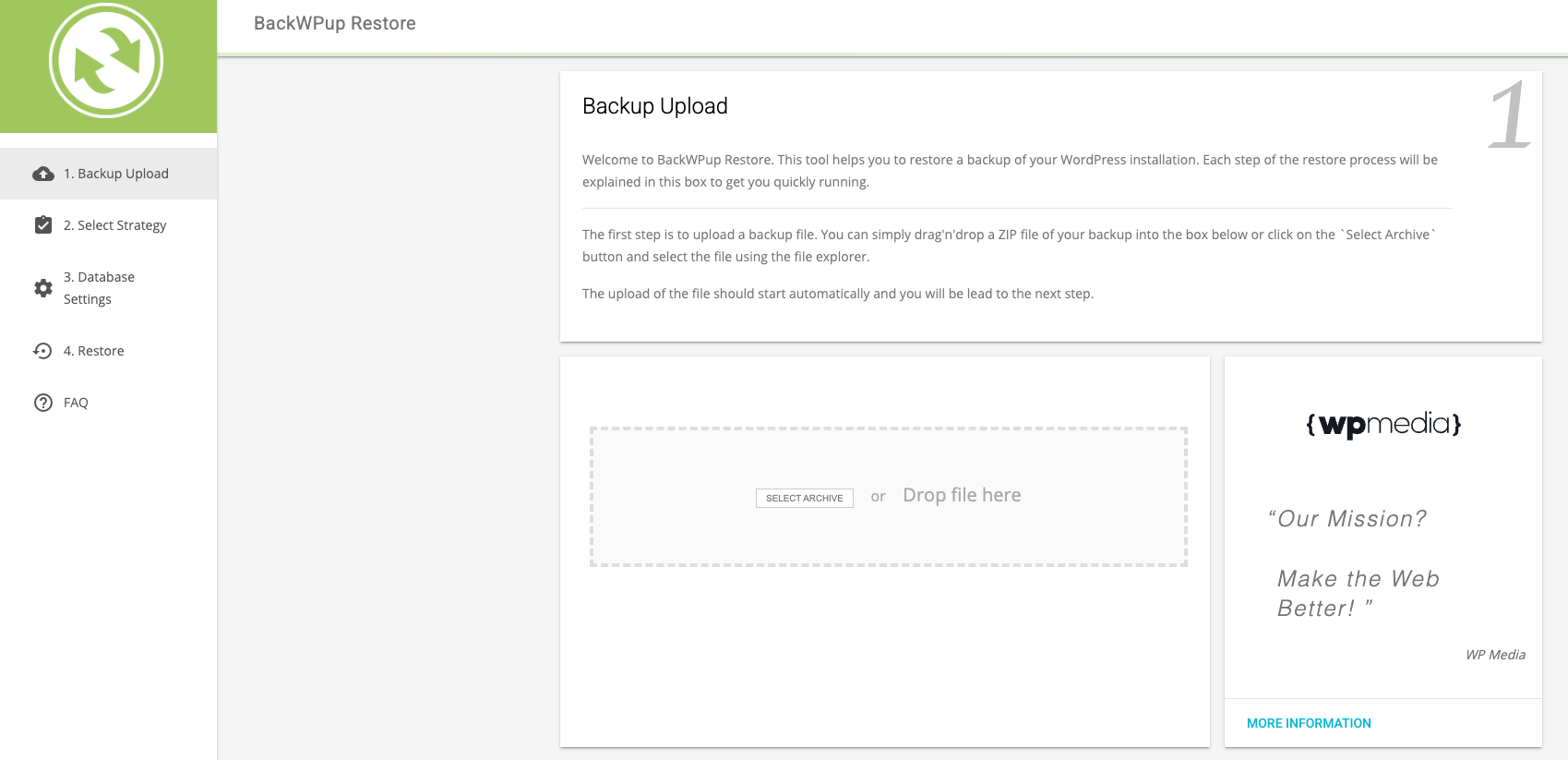
- Ya estás listo para utilizar la aplicación de restauración. Solo tienes que subir tu copia de seguridad y seguir los pasos indicados. Consulta el artículo «¿Cómo se utiliza la función de restauración de BackWPup ?» para obtener más información.
Solución de problemas
El script de inicio se ejecuta, pero solo veo una página en blanco
Esto puede ocurrir en diferentes situaciones:
Es posible que el script de inicio no pueda descomprimir restore.phar correctamente. Echa un vistazo al directorio donde StartUp.php y restore.phar están traducidos. ¿Hay también una nueva restore/ ¿Carpeta? Si no es así, significa que el script no ha podido descomprimir la aplicación correctamente.
Asegúrate de que ambos archivos tengan los siguientes permisos: 644.
Si el script de inicio ha podido crear un restore/ carpeta; échale un vistazo y comprueba si hay algún archivo en restore/src/App/index.php.

