

Si vous enregistrez des fichiers au format d’archivage Tar ou TarGZ, il peut arriver qu’ BackWPup affiche l’avertissement « nom de fichier trop long ».
En effet, les formats Tar ou TarGZ n'autorisent que des noms de fichiers de 100 caractères maximum. Cependant, BackWPup enregistre les fichiers avec des noms plus longs, mais le format d'archivage raccourcit ces noms. Cela peut entraîner des problèmes lors du processus de restauration.
Exemple :
AVERTISSEMENT : le nom du fichier « wp-content/plugins/bwp-minify/cache/minify_tagdiv_theme,commentreply.min,wpembed.min,js_composer_front._998cbd8e7258ea432e75c51c3cabf110.gz » est trop long pour être enregistré correctement dans une archive TarGz !
Si le message d'avertissement « nom de fichier trop long » s'affiche, nous vous recommandons de suivre les étapes suivantes :
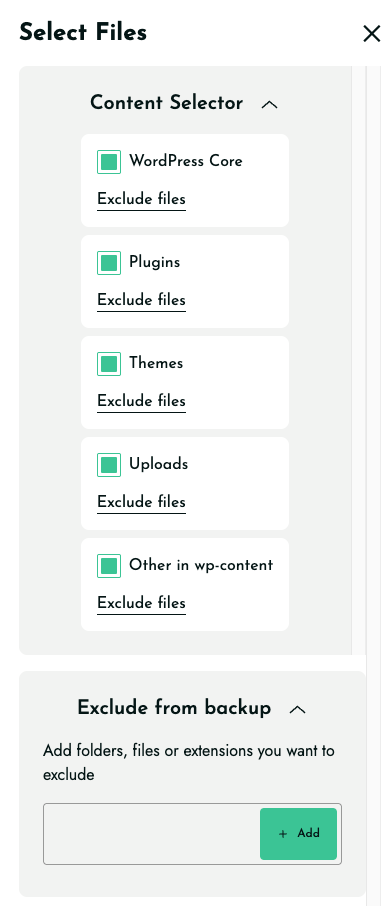
- Excluez de la sauvegarde les dossiers tels que, par exemple, « cache », « temp », « logs » et « backups ».
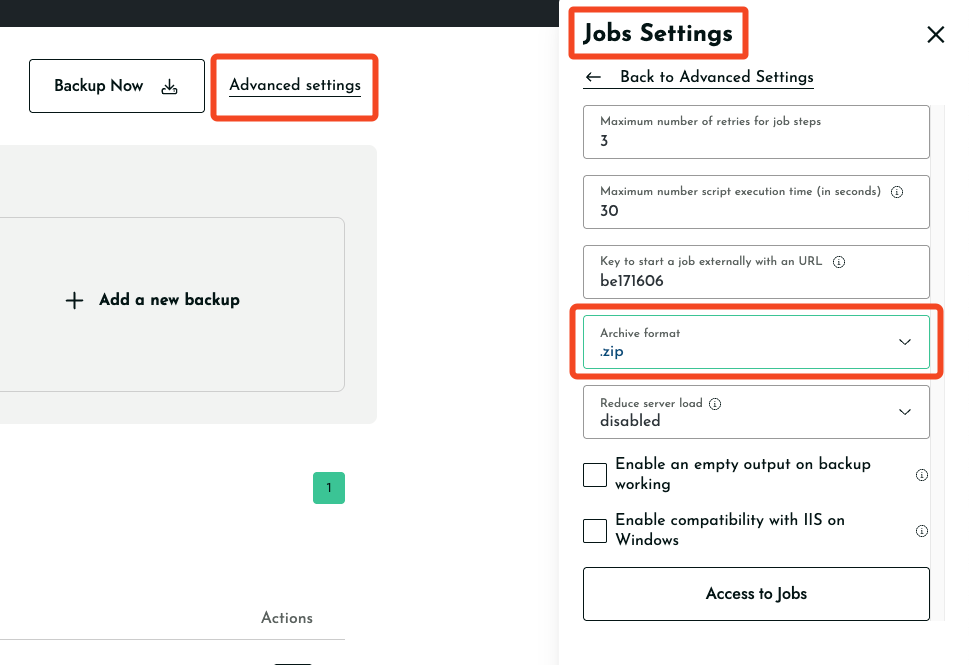
- Sélectionnez « zip » comme format d'archivage dans « Paramètres avancés > Paramètres des tâches > Format d'archivage ».
Vous pouvez essayer l'une ou l'autre de ces solutions pour résoudre le problème lié à l'avertissement.

