Índice
There are always good reasons for having a backup of a WordPress website. If only so that no data is lost or that all data can be restored immediately in the event of a hacker attack. In this article, we’ll show why it’s best to start backing up right away!
La pérdida de datos puede afectar a cualquiera
Even if one thinks that everything that has been worked out is well-stored on the WordPress website, it can still happen that important data is accidentally deleted. Be it because it was hectic and you forgot to save your final data, or because a colleague was working on the same website, thought a document stored there was out of date and simply deleted it. The possibilities are innumerable and can occur unexpectedly.
Por eso es aún más importante guardar todos los datos en una copia de seguridad. Pero incluso sin intervención humana, las pérdidas de datos a nivel del sistema se producen una y otra vez. Por eso, asegúrate de disponer de una copia de seguridad desde la que puedas volver a cargar fácilmente tus datos en el sistema en caso de emergencia. Para ello, se pueden o se deben realizar incluso varias copias de seguridad de los datos para almacenarlas en diferentes ubicaciones, por ejemplo, una copia en el servidor y otra en la nube. De este modo, tendrás tus datos a tu alcance en caso de que se pierdan.
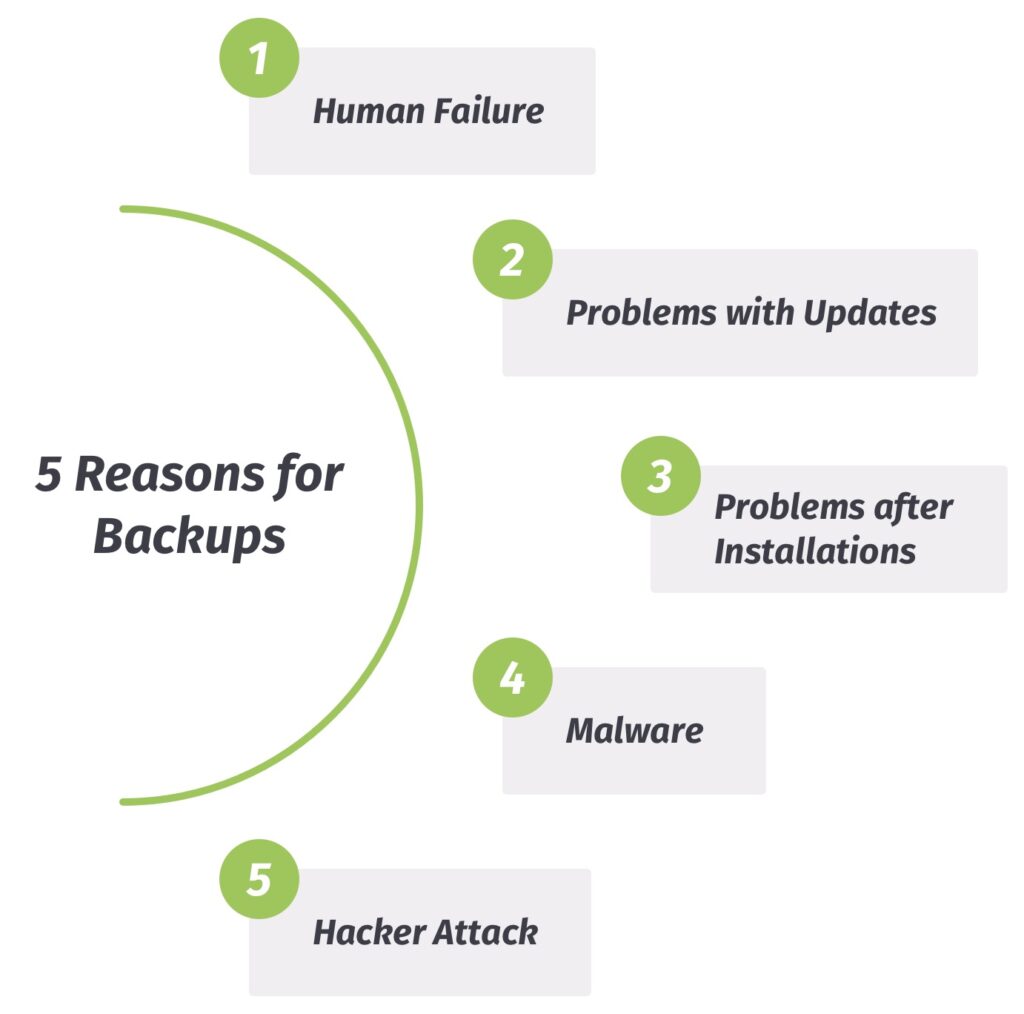
1. Error humano: cuando las personas procesan datos…
Como se ha mencionado brevemente en la sección anterior, los seres humanos también pueden contribuir a la pérdida de datos. Nadie está a salvo de cometer errores. Por supuesto, siempre puedes intentar recuperar los datos perdidos por tu cuenta.
Ultimately, one will not be able to avoid a professional data backup to restore the WordPress website here either. And in the best case, several times a day or week, so that all processing phases are documented and data can be restored more quickly.
2. Actualizaciones: lo desconocido
Doesn’t that sound familiar? You want to “just quickly” perform a “simple” WordPress update because you have just received a friendly message saying that it is important. And of course it is important so that your WordPress website can continue to function smoothly.
Pero entonces algo sale muy mal con la actualización y la página web ya no tiene el mismo aspecto que antes. En ese caso, te alegrarás de haber hecho una copia de seguridad de la base de datos a tiempo —ya sea automática o manual— y podrás simplemente restaurar tus datos.
3. Una cosa es la actualización y otra muy distinta la instalación…
Classic case: You find a new theme or plugin for the WordPress website and all you have to do is install it. Installation usually takes place automatically and without any significant problems. But it can also happen that the new theme or plugin is not compatible.
So before activation, one should make sure that the theme or plugin has been rated well and that it is regularly revised by the developers. Basically, back up your WordPress website before installing so that you can easily restore your data in the event of compatibility problems.
4. Malware y otros efectos secundarios
Many may wonder what malware has to do with a WordPress website? Some websites are susceptible to malware and even infected with it, although it’s not clearly recognized.
How can this happen?! For example, by installing an outdated plugin on the WordPress website that is infected with malicious software. If the damaged plugin is now specifically looking for vulnerabilities, then any files could be infected that can no longer be executed properly.
A special circumstance arises with websites: Even if the security hole has been discovered, it may not be 100% fixed. To be on the safe side, we recommend backing up the WordPress website and keeping malware away by restoring the backed up data.
5. Ataque de hackers, o: «Érase una vez una página web»
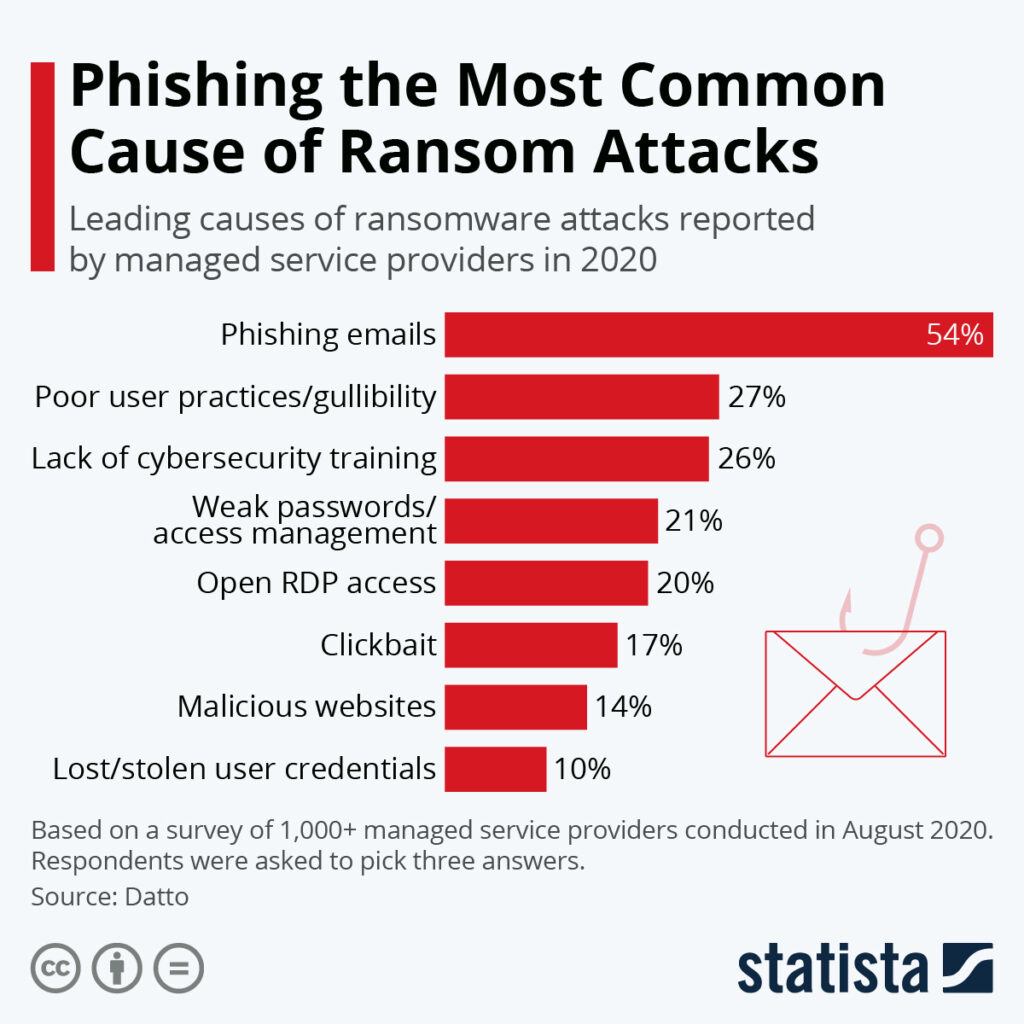
The worst thing that can happen to you with your WordPress website is certainly a hacker attack – a break into the website. For in most cases this means complete loss and/or theft of data. Access to one’s website is often blocked or deactivated by hackers.
In this case, too, your data is irretrievably gone. It actually goes without saying that one can protect the WordPress website in the best possible way with the right security precautions, such as two-factor authentication (2FA). Nevertheless, security loopholes can always occur, which could be misused maliciously.
If you have performed regular backups of your WordPress website, then restoring the backup will help you to get back to your WordPress website with the data, revise the access data and lock the hackers out of the system.
Securing one’s WordPress website without data loss – with our backup plugins BackWPup or BackWPup Pro!