

When a new version of BackWPup is released, customers with an active license of BackWPup should get an automatic notification via WordPress. But sometimes this notification is not received. Let’s see how to manage such an issue.
Manually check for updates
The first step to perform in order to get the updates via WordPress, is to check whether or not your license is active. If your product is not activated, you can refer to How do I activate my BackWPup Pro license? to properly activate your copy of BackWPup.
After that you should be able to get the update notification.
But if the BackWPup license is already active and you still don’t get any notification, in the WordPress backend head to Dashboard -> Updates. This way you are forwarded into the WordPress update section, triggering the WordPress check for new updates.
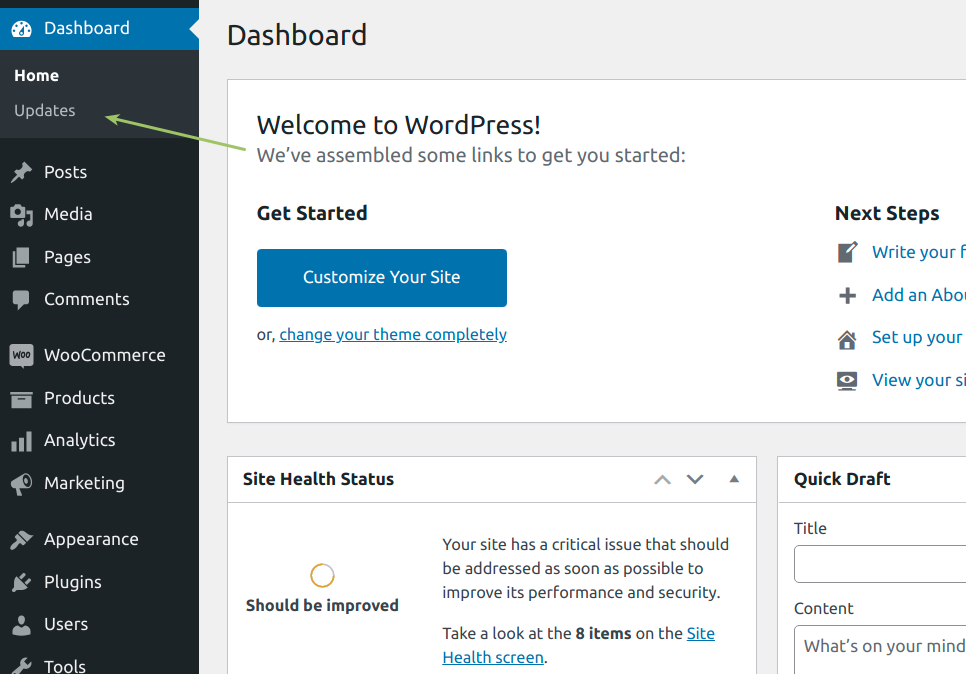
In case the update notification is still missing, refresh your page until it becomes available.
If you still have some issue you can always contact our support.

