

La funzione di ripristino di BackWPup consente di ripristinare facilmente il backup di WordPress in pochi semplici passaggi. In questa documentazione spieghiamo come ripristinare il backup di WordPress utilizzando la funzione di ripristino di BackWPup .
Attenzione: solo i backup effettuati con BackWPup possono essere ripristinati tramite la funzione di ripristino di BackWPup .
Il ripristino del tuo sito WordPress con BackWPup è semplificato grazie a un'interfaccia intuitiva che ti permette di riportare rapidamente il tuo sito a uno stato precedente utilizzando i backup archiviati nella cronologia.
Come utilizzare la funzione di ripristino di " BackWPup "
- Vai a
BackWPup > Restorenella tua dashboard per visualizzare l'elenco dei backup disponibili.
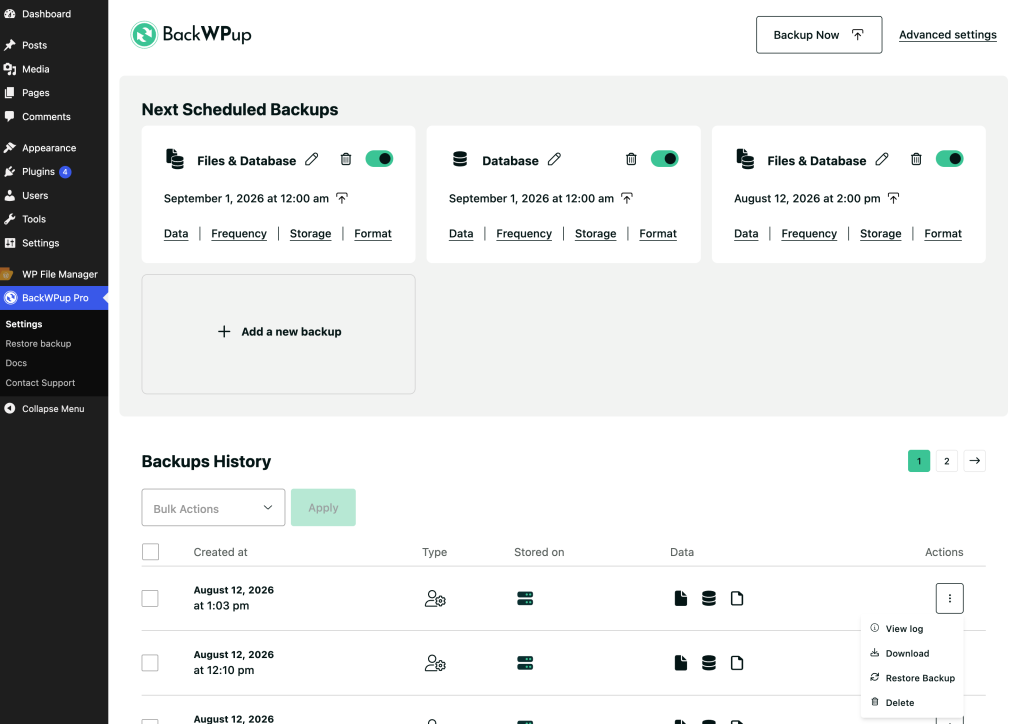
- Per gli utenti di Pro , è sufficiente fare clic sul pulsante “Ripristina backup” accanto al backup che si desidera ripristinare. Il processo si avvia automaticamente senza ulteriori passaggi.
Free Versione Utenti: Nella versione " free " di BackWPup, gli utenti devono prima scaricare il proprio file di backup e poi caricarlo manualmente nella pagina di ripristino per avviare la procedura.
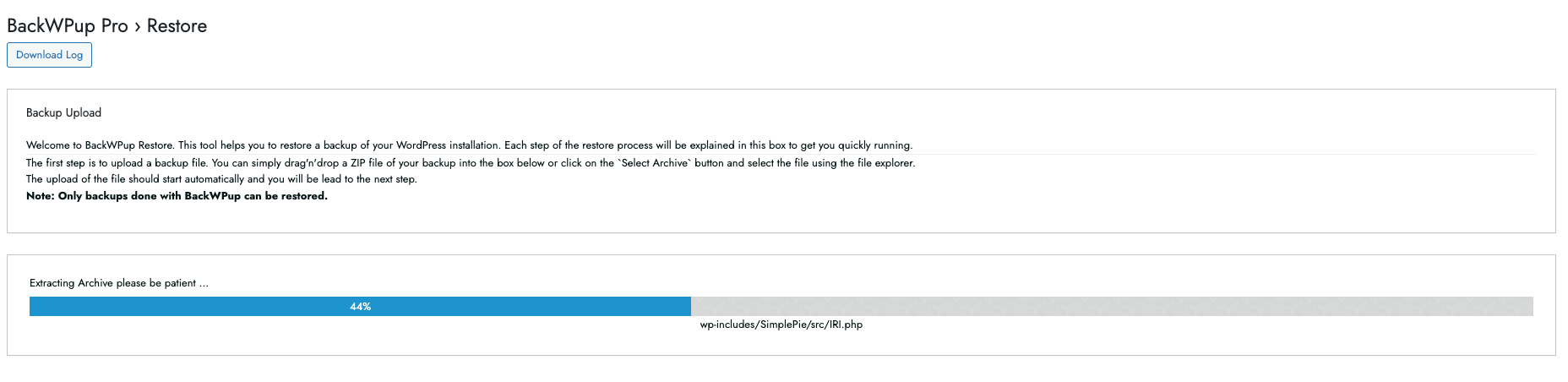
Attenzione: fai attenzione al backup che ripristini. Quello che ripristini sovrascriverà il tuo sito web. Verifica quindi di aver caricato il backup corretto.
- Una volta caricato correttamente l'archivio di backup, è necessario scegliere tra queste due opzioni:
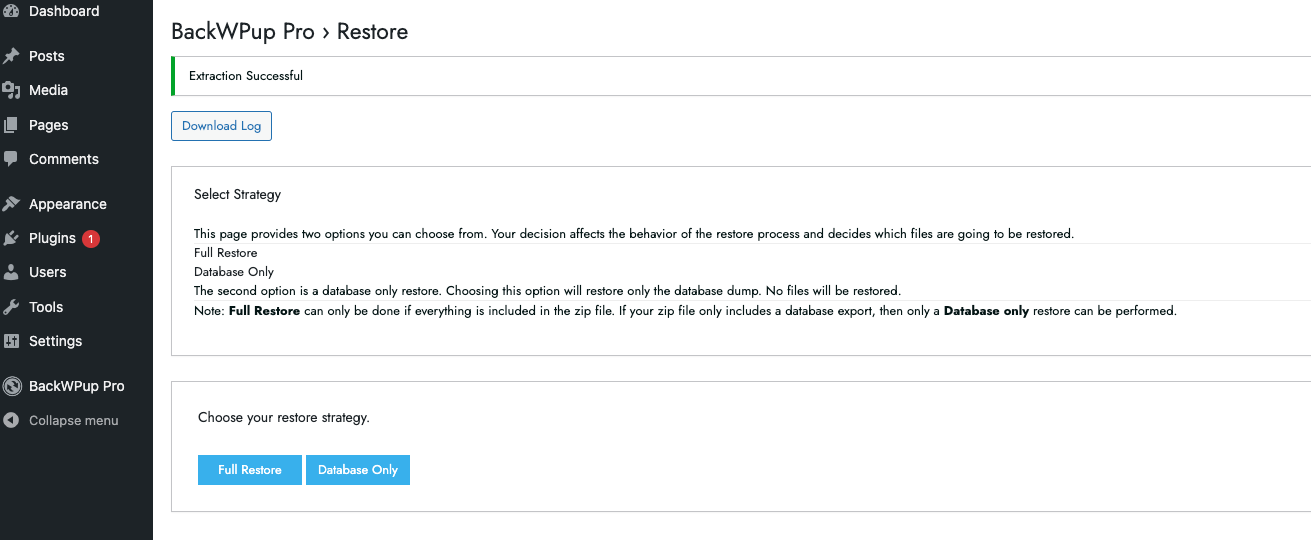 Ora puoi scegliere se eseguire un ripristino del database o un ripristino completo. Se decidi di eseguire un ripristino del database, verrà ripristinato solo il dump del database. Se invece decidi di eseguire un ripristino completo, verrà ripristinata l’intera installazione con tutti i file. In questa documentazione, eseguiremo un ripristino completo.
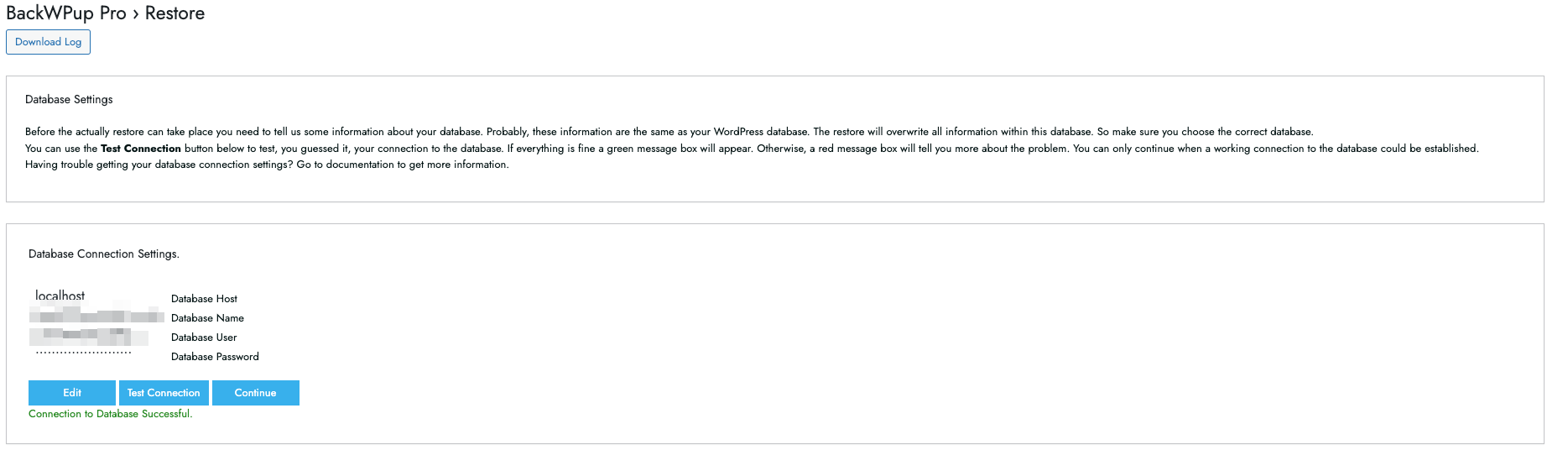
 - Successivamente, è necessario specificare le impostazioni del database in modo da poter stabilire una connessione funzionante con il database.
Queste informazioni vengono precompilate se si esegue il ripristino sullo stesso sito, ma risulteranno vuote se si esegue il ripristino su un URL diverso. Inserire il Host del database, il Nome del database, il Utente del database, e il Password del database. È possibile trovare tutte le impostazioni relative alla connessione al database in
wp-config.php. Tuttavia, puoi anche rivolgerti al tuo provider di hosting. In questa documentazione, i dati provengono dawp-config.php. Puoi trovare questo file all'interno dell'archivio " ZIP " del tuo backup. Abbiamo anche scritto documentazione relativa al file wp-config.php. - Una volta inseriti tutti i dati, clicca sul pulsante per testare il connessione. Se il test ha esito positivo, verrà visualizzato il messaggio: Connessione al database riuscita.
- Ora fai clic sul pulsante "Continua". Sei arrivato all'ultimo passaggio. Quando sei pronto a ripristinare il backup, fai clic su "Avvia". " BackWPup " procederà ora al ripristino del backup. L'operazione potrebbe richiedere alcuni minuti se si tratta di un backup completo.
- Una volta completato con successo il ripristino, vengono visualizzate le informazioni relative al completamento. Se BackWPup ha riscontrato problemi durante il processo di ripristino, è possibile scaricare direttamente il file di log. L'intero processo di ripristino è documentato in tale file, il che semplifica notevolmente la risoluzione dei problemi.
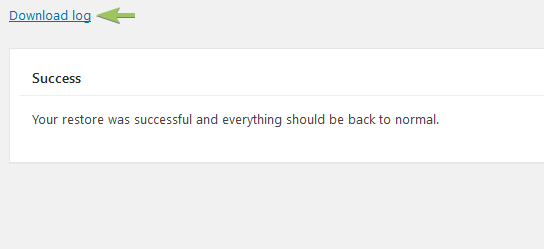
Il ripristino è andato a buon fine.
Come ripristinare direttamente un backup
Se devi eseguire un ripristino da un backup precedente non presente nella cronologia, puoi caricare il file di backup direttamente su BackWPup > Restore pagina per avviare il processo di ripristino.
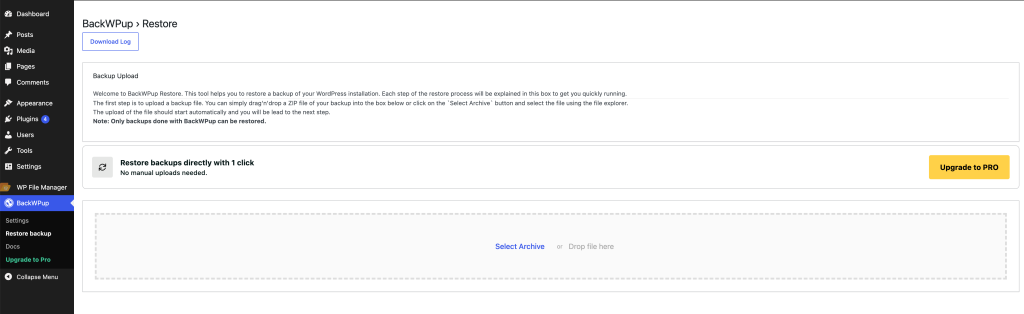
Ripristino senza accesso all'installazione di WordPress
Se non riesci proprio ad accedere alla dashboard di WordPress , l'app autonoma BackWPup può aiutarti a risolvere il problema. Consulta questa documentazione per scoprire come installare e utilizzare l'app autonoma.
BackWPup Pro Chiave di licenza mancante dopo il ripristino
Se la chiave di licenza non viene attivata dopo un ripristino o se si riscontrano problemi durante l'attivazione, consultare il tutorial: Come posso attivare la mia licenza di " BackWPup " (Pro )?
BackWPup Funzione di ripristino: file e cartelle importanti
Per gli utenti interessati ai dettagli tecnici, questa sezione spiega cosa avviene in background durante il ripristino di un backup. Non appena si seleziona il Ripristina collegamento del menu, il plugin crea la directory wp-content/uploads/backwpup-restore sul tuo server.
Di seguito è riportata una panoramica dei file e delle directory principali presenti in quella posizione:
Restore.log
Questo file contiene tutte le informazioni registrate durante il processo di ripristino, tra cui l'importazione del database, le directory copiate e altri dettagli importanti per il debug. Questo file di log consente di fornire un'assistenza rapida, grazie alla chiara documentazione delle fasi del ripristino.
Restore.dat
Questo file contiene lo stato del processo di ripristino insieme ai metadati essenziali, quali la posizione in cui i file devono essere decompressi, la posizione del dump del database e altri parametri di ripristino.
Directory di caricamento
Questa è la directory in cui viene archiviato temporaneamente l'archivio caricato: wp-content/uploads/backwpup-restore/uploads.
Estrai directory
Questa directory è quella in cui viene estratto il file di backup caricato: wp-content/uploads/backwpup-restore/extract.
.htaccess
Questo file impedisce l'accesso diretto via web alla directory temporanea di ripristino.
.non-eseguire-backup
Questo file impedisce al plugin di includere la directory temporanea di ripristino nei backup futuri. Il wp-content/uploads/backwpup-restore La directory è temporanea e contiene archivi caricati, file estratti e altri dati transitori che non devono essere inclusi nel backup.

